One pipeline for the work between the work.
Context
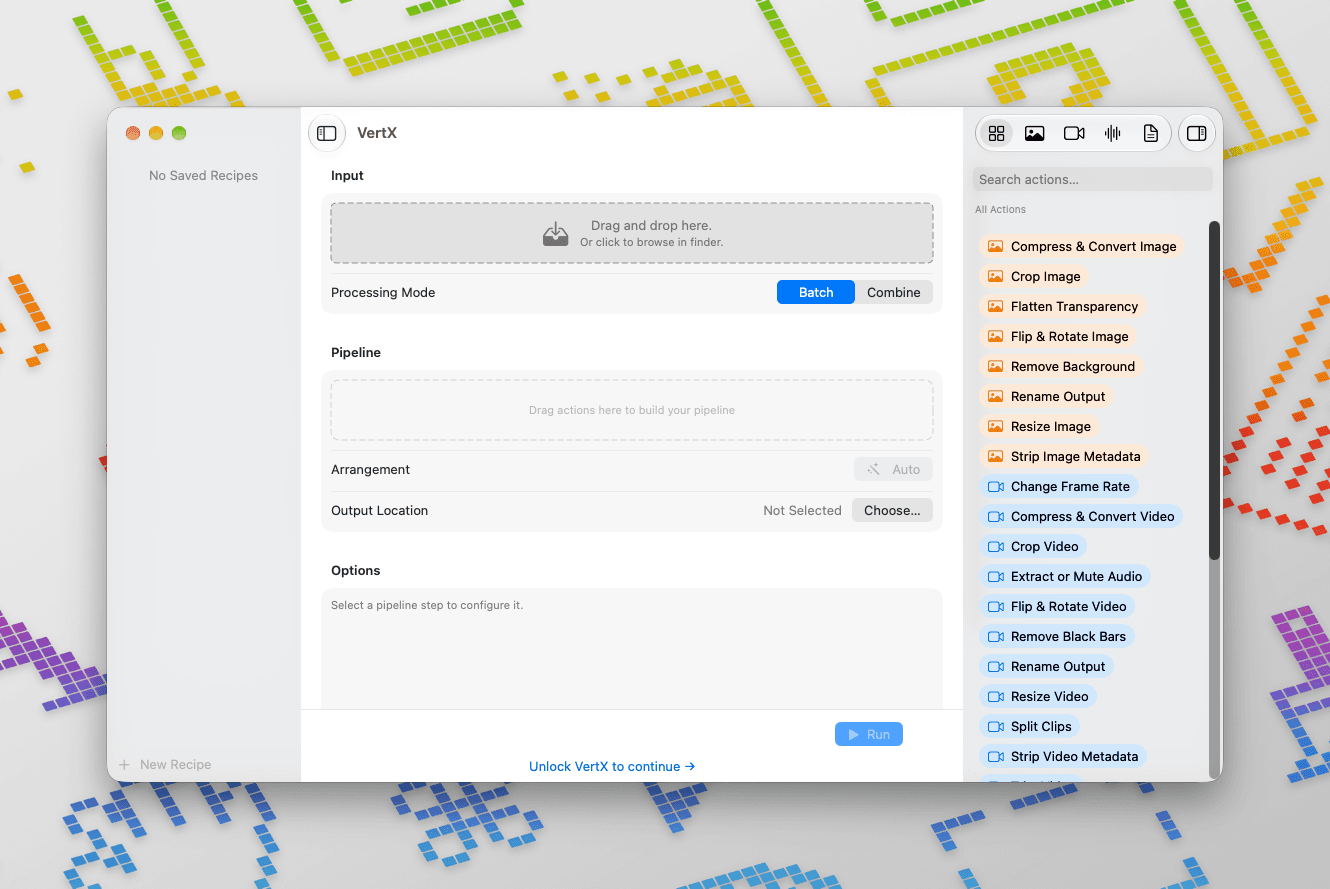
Across client projects and my own work, media arrives in all kinds of states. Video needs converting, cropping or splitting. Images need resizing or their backgrounds removed. Audio needs trimming. PDFs need combining or breaking apart. Each job is small, but doing several of them across a batch of files means repeating setup and moving between tools.
I wanted one focused, native Mac app for all of it: somewhere I could drop in files, choose exactly what needed doing and let the whole pipeline run. Not a replacement for an editor like Premiere Pro, but a lighter tool for the processing that happens around creative work.
I built VertX to do that. After completing the product, I made a separate AI-assisted launch film to explore a new way of producing motion design.
Role
- Product direction and workflow design
- Interface and visual design
- Native macOS development and testing
- Brand, marketing and App Store release
Solution
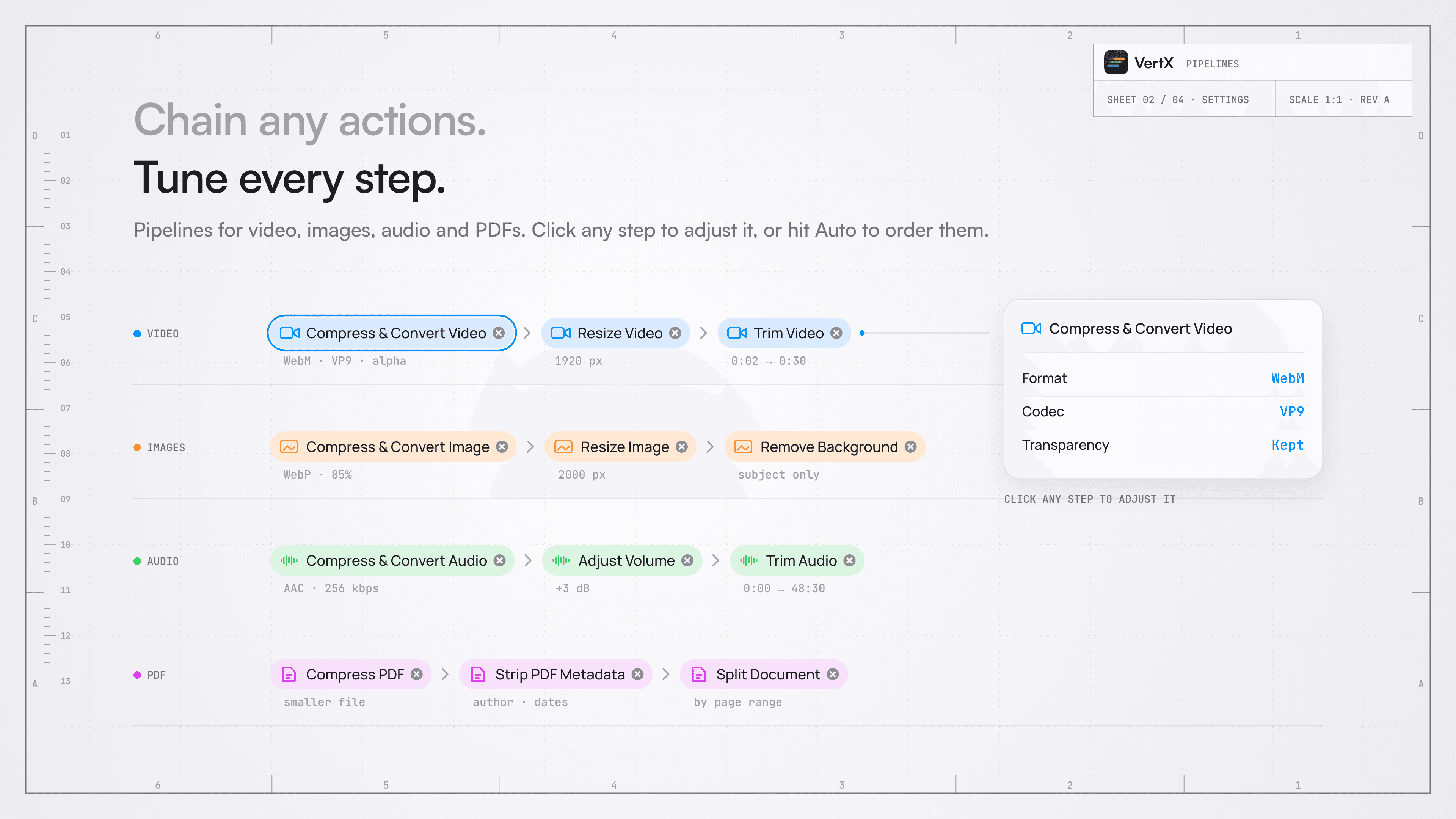
- Work with video, images, audio and PDFs through the same drag-and-drop interface, with actions suited to each media type.
- Chain actions such as converting, resizing, cropping, trimming, removing backgrounds, stripping metadata and renaming into a single run.
- Choose Batch to process files individually, or Combine to join video clips, image sequences, audio files or PDFs into one result before running the pipeline.
- Adjust and reorder each step, or let VertX arrange the steps automatically.
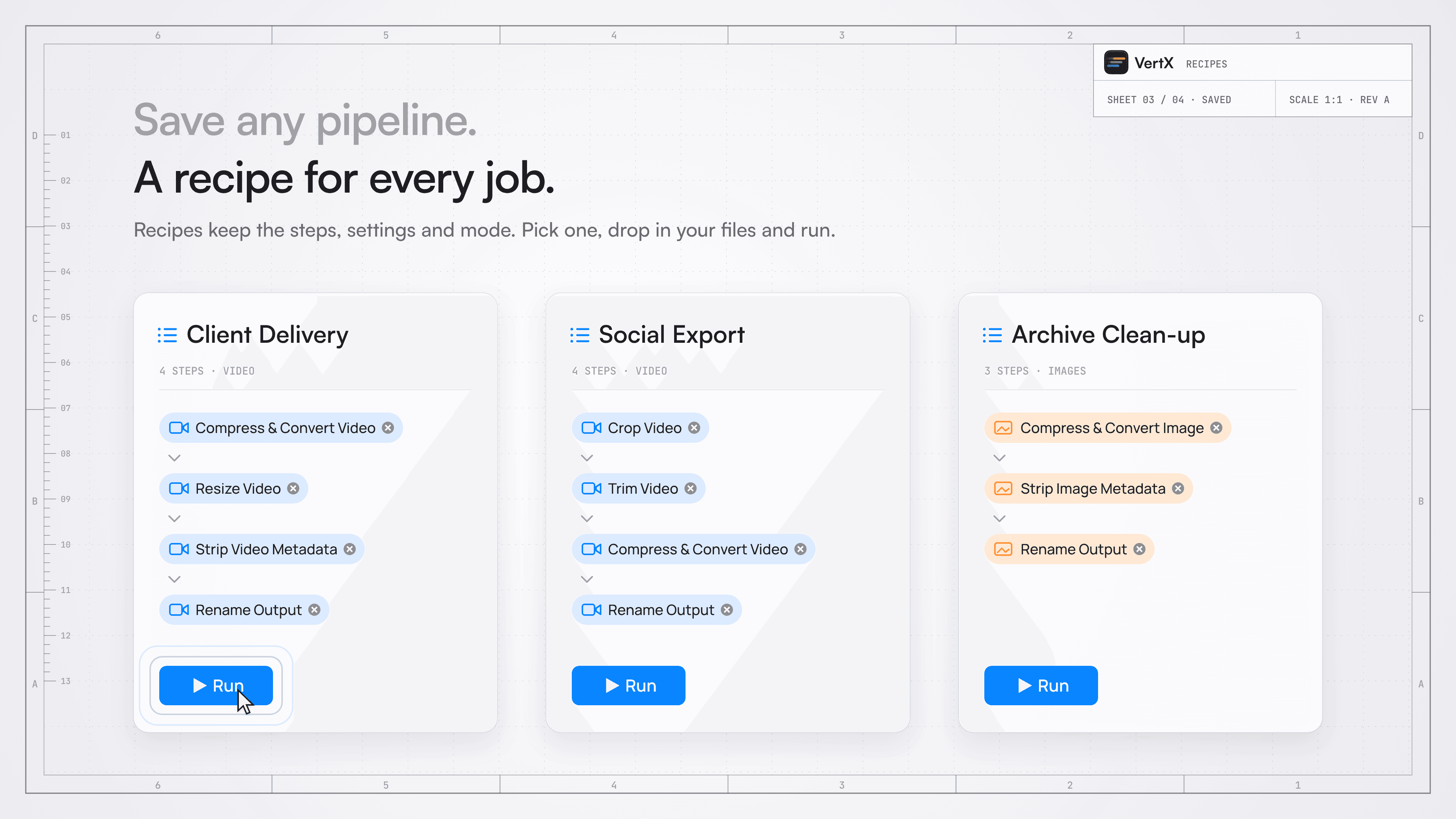
- Save the steps, settings and mode as a recipe, then use it again with a new set of files.
Impact
The result is a single place for the small, repeatable jobs that surround media production. A recipe turns a familiar sequence of decisions into a workflow I can pick up again; a batch can run while I get back to the work that needs my attention.
Combine handles anything from joining clips or audio to merging PDFs. One personal use is turning Blender PNG sequences into transparent video for the animated thumbnails on this site. A process I used to run through terminal commands now sits alongside the rest of my media workflows.
Get VertX on the Mac App Store.